You’ve swapped every bulb in a room to LEDs — better energy savings, cooler operating temperatures, longer rated life. Then you flip on the existing dimmer and things go sideways: the lights flicker at 30% brightness, hum at mid-range, or drop out completely below a certain level instead of smoothly fading toward black. The problem almost always lives in the dimmer switch itself, not the bulbs. A dimmer works by rapidly chopping the electrical current flowing to your fixture — older dimmers were designed for incandescent bulbs, which handle that chopping gracefully because they’re essentially resistive heaters. LEDs contain built-in electronics called drivers that process power differently, and many older or budget dimmers create interference those drivers weren’t built to absorb. The fix is selecting a dimmer engineered specifically with LEDs in mind — but that phrase covers a wide range of products with meaningfully different real-world performance. This article breaks down exactly where Lutron, Leviton, and budget options like ELEGRP differ, names the tradeoffs, and gives you a clear decision rule at the end.
Why LED Dimming Fails — and What “Compatible” Actually Means
Before picking a switch, it helps to understand what “compatible” is actually promising you. The U.S. Department of Energy’s Office of Energy Efficiency and Renewable Energy, in its published guidance titled “LED Lighting,” identifies several predictable LED dimming failure patterns: flicker (rapid, visible brightness oscillation), ghosting (bulbs glowing faintly when the switch is off), pop-on (bulbs snapping to full brightness before ramping down), and a compressed dimming range where light only meaningfully changes between 70–100% before dropping out entirely.
None of these are bulb defects in isolation. They’re a communication problem between the bulb’s driver and the dimmer’s minimum load threshold — the lowest wattage a dimmer needs to function correctly. Incandescent dimmers were built assuming loads of 40–600W. An LED retrofit might draw only 8–50W total. A dimmer expecting 40W minimum will misbehave on a 12W LED load.
“LED-compatible” on packaging is a marketing baseline, not a guarantee. What matters more is whether your specific bulb appears on the dimmer manufacturer’s tested compatibility list — a distinction that becomes very concrete when you compare models within Lutron’s own product family.
Comparing the Main Contenders: Lutron, Leviton, and Budget Options
The three tiers of the residential dimmer market — premium, mid-range, and budget — each make a different set of engineering tradeoffs. Understanding those tradeoffs helps you match the switch to the actual demands of your installation.
Lutron LED+: Ariadni, Diva, and Maestro
Lutron dominates reviewer sentiment in this category, and for good reason — their LED+ technology is specifically tuned to handle the low-load, variable-driver environment of modern LED installations. According to Lutron Electronics’ published document “LED+ Dimmer Compatibility Guide,” the residential line spans three primary models that are not interchangeable, and the choice between them has real consequences.
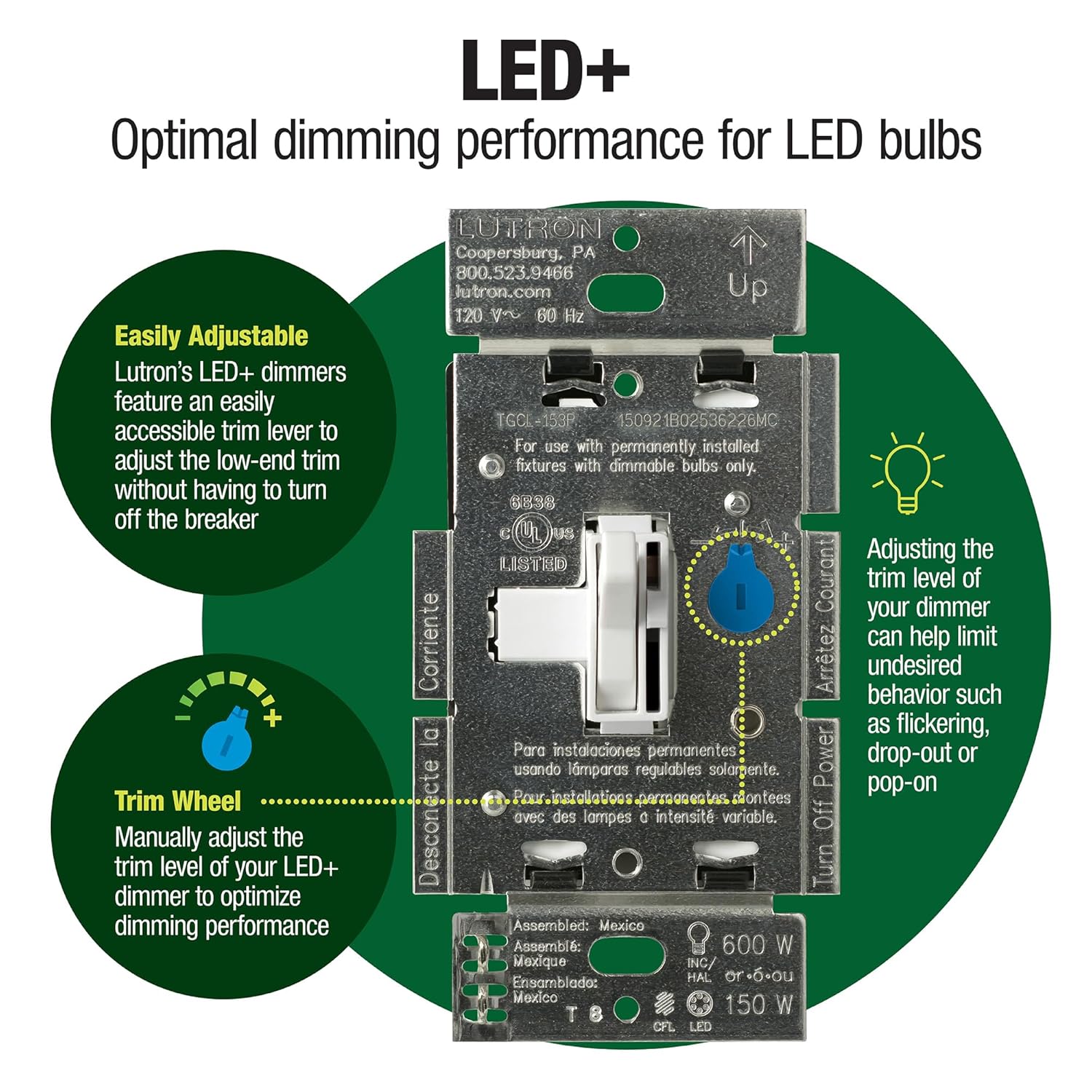
Lutron Ariadni LED+ Dimmer — The Ariadni is a toggle-style dimmer with a dimming slider that sits beside a traditional rocker, which some homeowners prefer for matching existing switch plates. Its standout feature is the minimum-brightness trim screw — a small flathead adjustment on the back or side of the switch that calibrates the lowest dim level your specific bulbs can reach without flickering or dropping out. That screw is a feature that separates Lutron from most budget options and even some Leviton configurations.
Lutron Diva LED+ Dimmer — The Diva is a slider-style dimmer with a separate rocker for on/off. It’s Lutron’s most widely installed residential model and carries the same minimum-trim screw. The catch: Lutron’s own “LED+ Dimmer Compatibility Guide” includes model-specific entries, meaning a bulb certified for the Maestro may not be listed for the Diva. If you’re running a sensitive LED retrofit in a fixture with minimal airflow — recessed can lights in insulated ceilings are common offenders — the model distinction matters. Some buyers who report persistent low-end flickering on the Diva resolve it by stepping up to the Maestro.
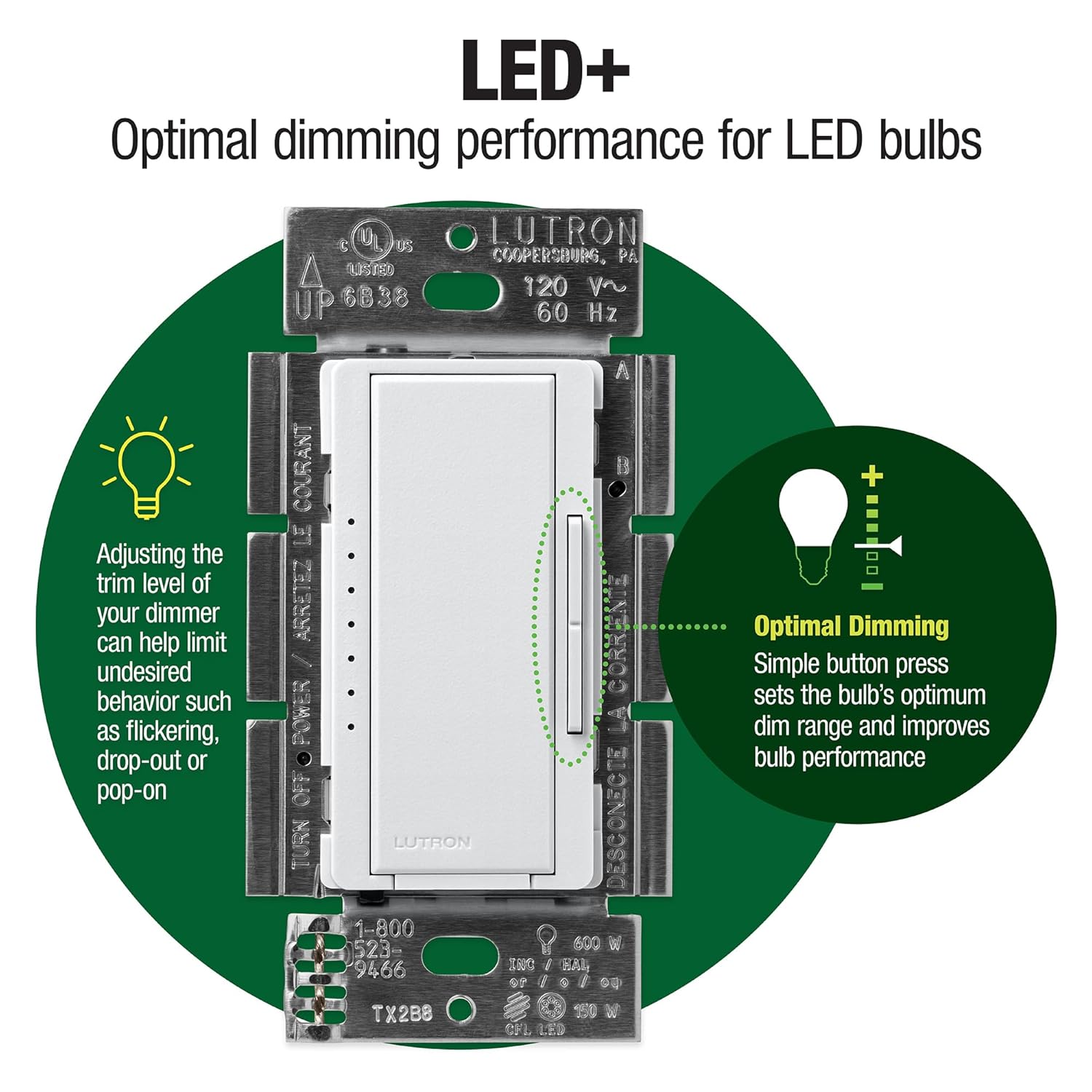
Lutron Maestro LED+ Dimmer — The Maestro is Lutron’s current top-of-residential-line for non-smart dimming. Its key differentiator for most buyers is multi-location capability (controlling one fixture from two or more switches — what electricians call a 3-way or 4-way circuit) and a broader LED compatibility database. If your load is at the edge of what a Diva handles — dense LED arrays, older driver designs, or very low total wattage — the Maestro is the safer specification.
Lutron LED+ Residential Line — Quick Reference:
| Model | Style | Multi-location | Trim Screw | Max Load (LED) |
|---|---|---|---|---|
| Ariadni | Toggle + slider | Single pole only | Yes | 150W LED |
| Diva | Slider + rocker | With accessory | Yes | 150W LED |
| Maestro | Slider + rocker | Yes (3-way native) | Yes | 150W LED |
Per Lutron’s “LED+ Dimmer Compatibility Guide,” all three models share the 150W LED maximum, but the tested-bulb database entries differ by model. Wirecutter (The New York Times), in its published guide “The Best Smart Light Switch,” consistently positions Lutron’s LED+ line as the baseline recommendation for buyers who want reliable, calibrated LED dimming without moving into smart-switch territory.
Saint
$89.99
In stock on Amazon
Check price on AmazonLeviton SureSlide: Mid-Range with a Tactile Advantage
The Leviton SureSlide Universal Dimmer takes a different philosophy. Where Lutron leans into a large tested-compatibility database and trim adjustability, Leviton’s design differentiator is mechanical: the slider has a physical detent — a small click-stop — at the bottom of its travel that gives you tactile confirmation the light is genuinely off, not dimmed to near-black. For anyone who’s ever left a room wondering whether the dimmer was at 1% or truly cut, that’s a usable feature, not a gimmick.
Leviton’s published document “SureSlide Universal Dimmer Installation Guide” specifies the SureSlide as a universal dimmer rated for incandescent, halogen, and LED/CFL loads. “Universal” in dimmer language means the internal circuit tolerates a wider range of load types — but it also means the tuning is a compromise. The SureSlide performs well on standard LED retrofits with competent drivers, but buyers pushing the low end (very low total wattage, inexpensive LED bulbs with narrow driver tolerance) are more likely to encounter low-end flicker than on a Lutron LED+ unit with a dialed-in trim screw.
The SureSlide does not include a minimum-trim adjustment screw in most configurations. If your bulbs work well across the full brightness range, that’s irrelevant. If they don’t, you have fewer correction tools available than you would with a Lutron unit.
The Leviton decision frame: If your priority is a dependable, well-priced dimmer with satisfying tactile feedback on a standard LED load, the SureSlide earns its place. If you’re dialing in low-minimum brightness on a tricky load, Lutron’s trim screw is the better instrument.
Lutron
$27.98
In stock on Amazon
Check price on AmazonBudget Brands (ELEGRP and Others): Solid Performance, One Known Edge Case
Budget dimmers — ELEGRP being the most consistently reviewed in this tier — have improved substantially. ELEGRP units draw consistent praise for clear installation instructions, well-labeled terminals for 3-way wiring (which matters when you’re reading a wire diagram at 10pm), and performance that legitimately satisfies most residential LED loads at a fraction of the Lutron price.
The interesting real-world edge case documented in owner reports: at least one ELEGRP dimmer model has been noted to operate on a frequency that false-triggers certain cheap wireless doorbells. The switch functions correctly as a dimmer — the side effect is an audible, repeating chime if you happen to have a low-cost RF doorbell in range. It’s a specific scenario rather than a systemic flaw, but it’s the kind of interaction you won’t find on spec sheets.
What budget brands universally lack: the tested-compatibility database infrastructure and the minimum-trim adjustment screw. You get a dimmer that works for most LEDs, with less ability to fine-tune edge cases. For rental property renovations, guest rooms, or lower-stakes installs where the bulb selection is standard, that’s a fair tradeoff. If you have RF doorbells in the house, confirm frequency compatibility before committing to a budget dimmer.
Lutron
$25.59
In stock on Amazon
Check price on AmazonLutron Caseta: When the Conversation Shifts to Smart Dimming
Lutron Caseta sits in a different category — it’s a smart dimmer that connects to a hub and is controllable via app, voice, or schedule, not just an LED+ dimmer. Buyers who choose Caseta over smart-bulb systems are making a deliberate architectural choice. Wirecutter (The New York Times), in “The Best Smart Light Switch,” frames the distinction clearly: Caseta is smart-at-the-switch, not smart-at-the-bulb.
The practical implications are significant. Two factors consistently drive buyers toward Caseta over bulb-based alternatives:
No neutral wire required. Most smart switches need a neutral wire — the white wire in your electrical box that completes the circuit back to the panel. Many homes built before the mid-1990s don’t have neutrals at every switch location. This Old House, in its published guide “How to Install a Dimmer Switch,” identifies the absence of a neutral wire as the primary wiring constraint buyers encounter when installing smart dimmers — and Caseta’s no-neutral compatibility is exactly why it remains the default recommendation for older homes.
Local processing with HomeKit. Architectural Digest, in its published guide “The Best Smart Home Lighting Systems,” notes that Lutron’s Caseta hub processes commands locally, meaning your lights still respond to wall switches and the Lutron app during an internet outage. Bulb-based systems that depend on cloud processing lose app control when your connection drops.
The philosophical commitment: once you wire Caseta throughout a home, you’re running standard dimmable LED bulbs — any compatible bulb, no individual pairing required — at smart-controlled fixtures. Caseta’s no-neutral compatibility and local processing make it a clean specification for whole-home installs in pre-2000 construction.
Frequently Asked Questions
Can I use any dimmable LED bulb with a Lutron LED+ dimmer, or does it need to be on the compatibility list? The dimmer will attempt to work with any dimmable LED, but “dimmable” on bulb packaging is a minimum standard. Lutron’s “LED+ Dimmer Compatibility Guide” reflects actual bench-tested bulb-and-dimmer pairings — listed bulbs are confirmed to dim smoothly across the full range without flicker, ghosting, or pop-on. Off-list bulbs may work fine or may not; you’ll typically know within 24 hours of installation. If you’re specifying a fixture for a client or running a uniform product throughout a home, stick to listed combinations.
What does the minimum brightness trim screw do, and how do I adjust it? The trim screw sets the floor — the lowest dim level the switch will hold before cutting power entirely. Without it, the dimmer might attempt to maintain 1–5% brightness that the LED driver can’t actually produce, resulting in flicker or drop-out. Adjust it with a small flathead while the lights are on and set to their lowest position: turn the screw slowly until flicker disappears and the light holds a stable, low level. It’s a 60-second calibration that permanently solves most low-end LED flicker issues on Lutron units that include it.
Do I need a neutral wire for the Lutron Caseta dimmer? No — Caseta is one of the few smart dimmers that operates without a neutral wire, making it compatible with switch boxes in older homes that only have a line (hot) and load wire. Confirm your box has at least a line and load wire before ordering; two-wire installations are compatible, and three-wire installations with a neutral also work.
What’s the real difference between the Lutron Diva, Ariadni, and Maestro? Style, multi-location capability, and LED compatibility depth. The Ariadni is toggle-style and single-pole only. The Diva is the most common slider style. The Maestro adds native 3-way and multi-location support and carries the broadest tested LED compatibility database — making it the right specification when you have either a multi-switch circuit or a finicky LED load the Diva couldn’t resolve.
Why does my dimmer work fine at high brightness but flicker at low levels? Because dimmers don’t behave linearly. At high levels, power delivery is close to a full sine wave — most LED drivers handle that without complaint. At low levels, the dimmer is chopping the wave aggressively, and LED drivers with narrow tolerance for that signal start to misfire. The fix is either a dimmer with a minimum-trim adjustment (Lutron’s LED+ line), a bulb from the dimmer’s tested compatibility list, or both.
Can budget dimmers handle a mixed load of LED and incandescent bulbs? Both ELEGRP and Leviton SureSlide are rated for mixed loads. The practical note: incandescent bulbs in the mix raise total wattage, which can help a dimmer that’s struggling with an LED-only load below its minimum threshold. However, the U.S. Department of Energy’s Office of Energy Efficiency and Renewable Energy, in its published guidance “LED Lighting,” documents an ongoing transition away from incandescent production — designing around mixed loads is increasingly a temporary workaround. If the plan is to replace the incandescents eventually, calibrate now for an all-LED dimmer specification.
The Decision Rule
If your circuit is single-pole, the load is standard dimmable LED, and budget matters: Leviton SureSlide or ELEGRP handles it. If you have RF doorbells in the house, confirm frequency compatibility before choosing a budget dimmer.
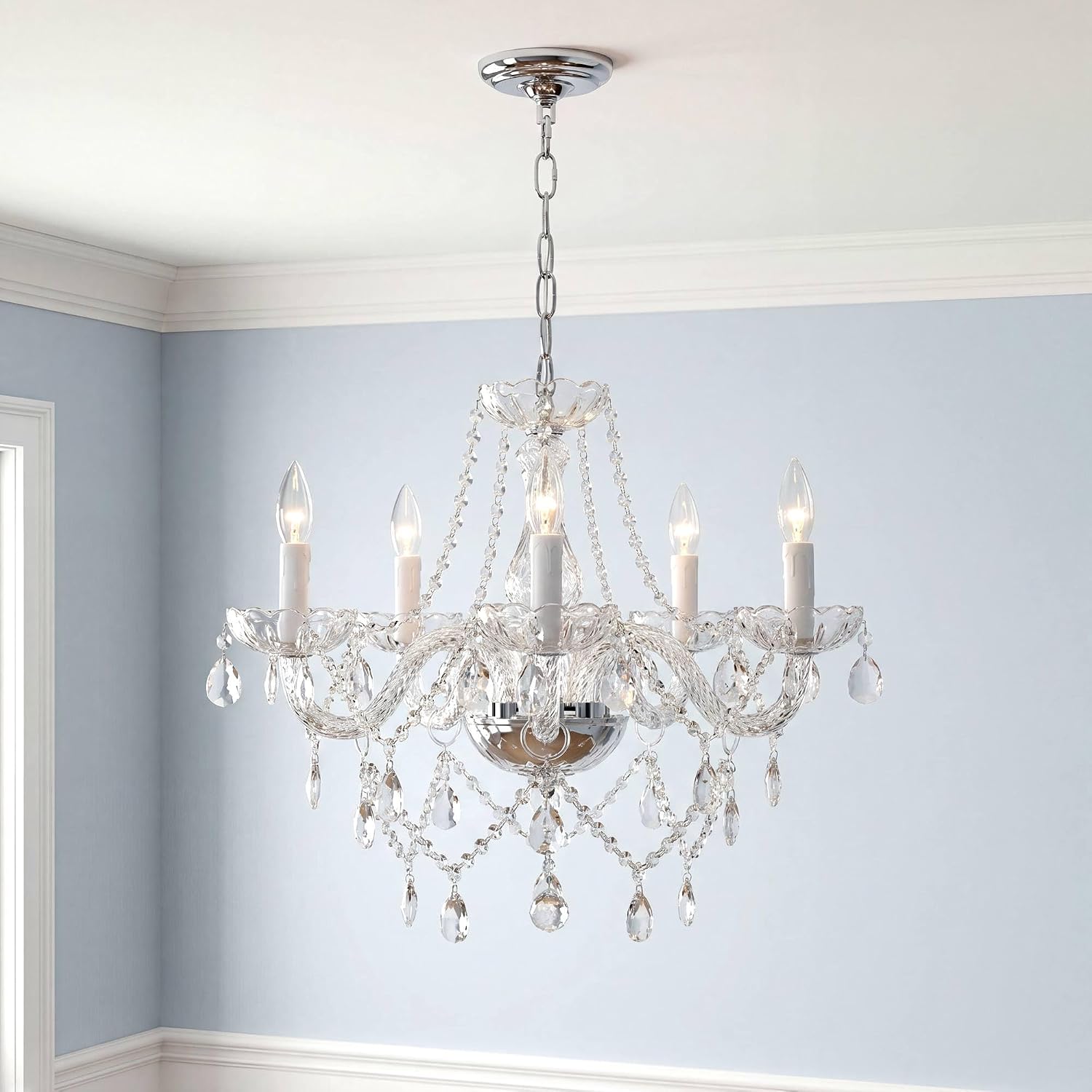
If you’re dialing in low-end brightness in a design-forward room — a dining room chandelier, a bedroom lamp circuit — and you have a specific dimmable LED bulb you want to use: Lutron Diva LED+ with a trim-screw adjustment is the correct specification. Verify your bulb is on Lutron’s published compatibility list first.
If you have a multi-location circuit (two or more switches controlling one fixture) or you’ve already tried a Diva and still have low-end flicker: Lutron Maestro. It’s the switch that resolves the cases the Diva can’t.
If you’re building a smart-home lighting system, your home lacks neutral wires at switch locations, or you want local processing with HomeKit: Lutron Caseta. It’s not a “better dimmer” — it’s a different category. The premium buys you an ecosystem, not just a switch.
The dimmer switch is the part of a lighting project that nobody photographs, but it determines whether your dining room pendant feels like a design feature or an afterthought. Get the switch right first.